
Training Estate Guards on a Smartphone App When Turnover Is High
Nigerian estates that adopt gate technology often find guards quietly stop using it. A practical guide to training security personnel on a smartphone app when staff turnover is constant.
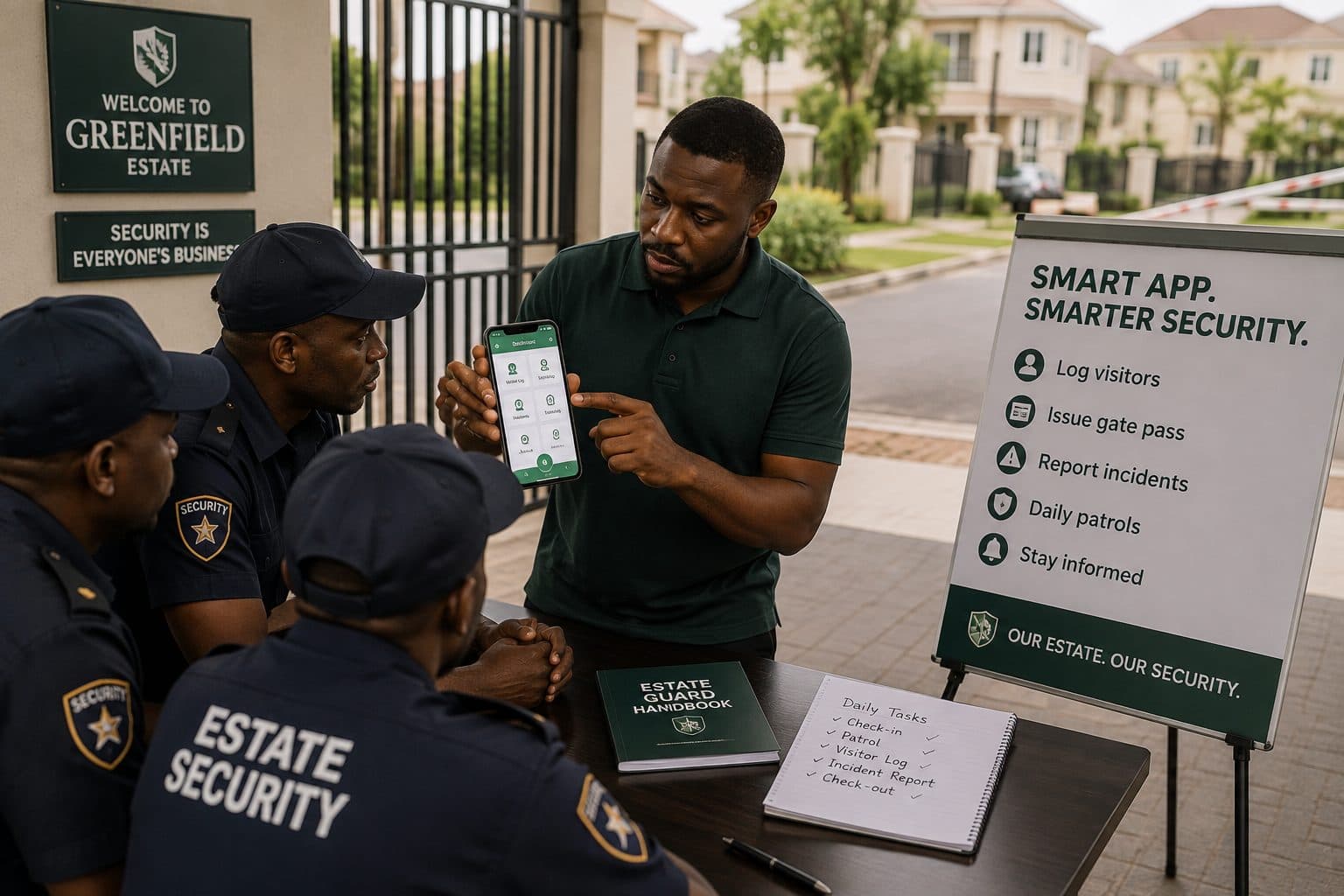
An estate committee invests in a gate system. The launch goes well. Two months later the committee discovers that guards have gone back to the exercise book, or are waving familiar cars through without checking anything, and the visitor log has thirty entries for a month in which several hundred people came through the gate.
This is the most common failure in estate technology adoption in Nigeria, and it is almost never the technology's fault. It is a training and turnover problem that nobody planned for.
Understand who you are training
Committees underestimate this and then design training that cannot work.
Guards usually do not work for you. In most Nigerian estates, security is contracted to a firm. The guards on your gate are the firm's employees, deployed at the firm's discretion, and can be reassigned to another site without consulting you. Your training investment can walk out of the gate on a Monday morning with no notice.
Turnover is high and largely outside your control. Guard positions in Nigeria are low-paid with difficult conditions — twelve-hour shifts, night duty, exposure to weather. Turnover of well over half the team in a year is normal. Any training approach that assumes you train once at go-live is designed for an estate that does not exist.
Literacy and phone familiarity vary widely. Some guards are highly capable with a smartphone. Others have used only feature phones. Written instructions in English may not be accessible to everyone on your gate.
Phones may be shared, low-end, or personal. A guard using his own phone with his own data has a different relationship to your app than one issued a device by the estate. If the estate has not provided a phone and a data allowance, expect the app to be used sparingly regardless of training.
Design for these conditions rather than wishing them away.
Solve the device question first
No training survives a device problem. Before anything else, decide:
Who provides the phone? An estate-owned device kept at the gate post and handed over at shift change is the most reliable arrangement. It survives turnover — the phone stays even when the guard leaves — and it removes any argument about personal data and battery. Budget for it as security equipment, alongside torches and radios.
Who pays for data? If a guard is using personal data to log your visitors, he will stop. A small monthly data allowance on the estate device is not optional.
What happens at shift change? The handover of a shared device needs a routine: charged, logged in, and physically transferred with the shift briefing.
Is there power? A gate post with no charging point produces a dead phone by hour eight of a twelve-hour shift. Fix this before launch.
Design training for a guard who starts on a Tuesday
The single most useful reframe available to a committee: stop planning a launch training and start planning a joining routine. Your real requirement is not to train six guards once. It is to be able to bring a new guard to competence in under thirty minutes, repeatedly, without a visit from anyone.
That means training material must exist independently of any person. Practically:
A one-page printed card at the gate post. Laminated, in large print, with pictures of the actual screens. The four things a guard does: verify a code, handle a walk-in, log an exit, raise an alarm. Nothing else. Pictures matter more than words — a guard who reads English slowly can still match a screen.
A practice run before live duty. A new guard should process at least one pass end to end, with the supervisor watching, before he is left alone on the gate. If your system has a practice mode, use it. If it does not, do it with a real pass and a committee member acting as the visitor.
A named person to call. Every guard should know exactly who to call when something does not work. Not "the committee" — a name and a number, on the card. Guards who do not know who to call fall back to the book.
A short video on the estate phone. Two or three minutes, recorded on your own gate with your own screens, showing the four tasks. New guards can watch it during a quiet hour without anyone scheduling anything.
Train the supervisor, not just the guards
The highest-leverage training you can do is on the security supervisor.
The supervisor is on site more consistently than any committee member, is present at shift changes, and has authority the committee does not. If the supervisor can train a new guard, your turnover problem becomes an operational routine rather than a recurring crisis.
Train him properly, give him the material, and make his ability to onboard new guards an explicit expectation. If security is contracted, put it in the contract: new personnel deployed to this estate must be trained on the estate's gate system before their first solo shift, and the supervisor is responsible.
Make the right thing the easy thing
Guards revert to the book when the book is faster. Some of this is design, some is process.
Log the exception, not the routine. If a guard must perform five taps for every ordinary resident entry, he will stop. The system should make the common case nearly effortless and reserve attention for what is unusual.
Do not make the guard type. Typing on a phone at a gate at night, in the rain, with a queue building, is where systems lose adoption. Scanning, tapping, and selecting all work. Free-text entry does not.
Handle no-network gracefully. If the app is unusable when the network drops, guards will learn not to depend on it. Ask your provider directly what happens offline and test it at your own gate before launch.
Keep the exercise book for a defined period, then remove it. Running both in parallel forever guarantees the book wins. Run parallel for two weeks, compare the counts, then remove the book deliberately and announce it.
Measure adoption, do not assume it
Committees discover adoption failures months late because nobody looks. Check weekly for the first two months, then monthly:
- How many entries were logged this week, and does that match what you would expect from a gate of your size?
- Is the count consistent across shifts, or does one shift log almost nothing? A shift with near-zero entries is a shift that has stopped using the system.
- How many walk-ins were processed versus pre-approved passes?
- How many exits were logged? Exit logging is usually the first thing to lapse.
A gate that suddenly logs half what it did last month has a problem — a new guard who was never trained, a broken phone, or a supervisor who left. Catching it in week two is easy. Catching it in month six means rebuilding adoption from scratch.
What to put in the security contract
If your guards are contracted, the contract is your most effective training tool. Consider requiring:
- All personnel deployed to the estate must be trained on the estate's gate system before their first unsupervised shift
- The supervisor is responsible for onboarding new personnel and confirming it to the committee
- The estate must be notified in advance of personnel changes, not discover them at the gate
- Any estate-provided device must be returned at the end of a deployment
- Compliance with gate logging procedures is a term of the contract, not an informal expectation
Most security firms will accept these. Very few will volunteer them.
The realistic standard
You will not achieve perfect logging. A gate is a busy, physical, sometimes chaotic place, and the goal is not a flawless record of every movement.
The goal is a gate where the guard on duty — including the one who started on Tuesday — can verify whether someone is expected, log what happened, and raise an alarm. If your system is simple enough that a new guard reaches that standard in half an hour with a printed card and a practice run, adoption will hold through turnover.
If it takes a two-hour training session and a person who understands the system, it will not.
Written by Home Access — a Nigerian estate management platform used by residents' associations to keep auditable records of residents, dues and gate activity. homeaccess.africa

Laura
Home Access Technology Ltd · 3 September 2026